Can EasyMotion Studio software customize control panels with user-defined parameters and indicators for multiple drives in a CAN network?
The short answer is yes – and it does so in a way that significantly simplifies system control, monitoring, and debugging across complex motion networks.
EasyMotion Studio II provides a highly flexible environment where engineers can design and tailor control panels to match the exact needs of their application. Whether working with a single drive or coordinating multiple axes over a CAN network, the software enables full visibility and control through customizable interfaces.
Flexible Parameter Configuration
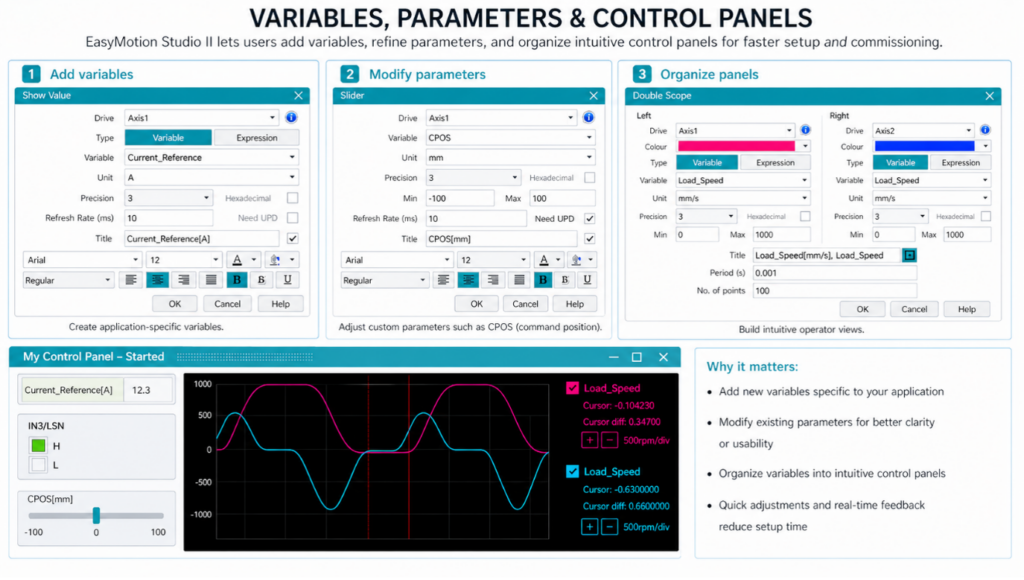
One of the core strengths of EasyMotion Studio II is the ability to work with both pre-defined variables and custom, user-defined parameters.
Users can:
- Add new variables specific to their application
- Modify existing parameters for different use cases
- Organize variables into intuitive control panels for faster access
This flexibility is particularly valuable during development and commissioning, where quick adjustments and real-time feedback can dramatically reduce setup time.
Real-Time Monitoring and Multi-Drive Control
EasyMotion Studio II goes beyond single-axis visualization by allowing users to monitor and control multiple drives simultaneously within a CAN network.
Each variable or indicator can be linked to a specific drive by defining its Axis ID, enabling:
- Simultaneous visualization of data from multiple drives
- Centralized control of distributed motion systems
- Easier correlation of system-wide behavior during debugging
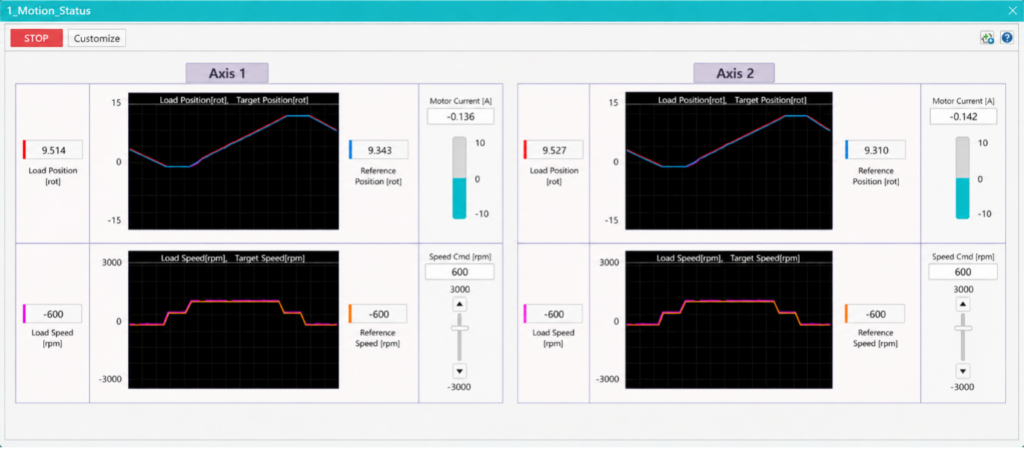
This multi-axis capability is essential for synchronized motion applications, where understanding interactions between drives is critical.
Enhanced Debugging and Diagnostics
By combining customizable variables with real-time data acquisition, EasyMotion Studio II becomes a powerful debugging tool.
Users can:
- Track key performance indicators live
- Identify anomalies across different axis
- Adjust parameters on-the-fly without stopping the system
This leads to faster troubleshooting and improved system reliability.
Intuitive Control Panel Design
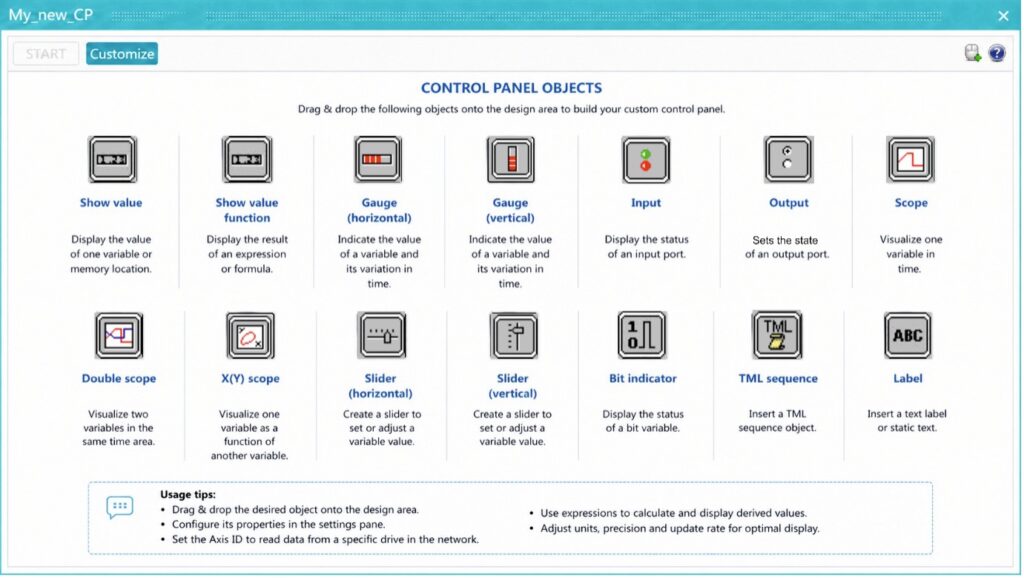
The software includes a wide range of control panel elements such as:
- Numeric displays
- Sliders and input fields
- Graphs and real-time plots
- Status indicators
These elements can be arranged to create user-friendly dashboards tailored to specific applications or workflows.
Supporting Advanced Motion Applications
The ability to customize control panels and manage multiple drives in real time makes EasyMotion Studio II especially suitable for:
- Multi-axis synchronized systems
- Robotics and automation
- Precision positioning applications
- Rapid prototyping and testing environments
By providing both high-level visualization and low-level control, the software bridges the gap between development and deployment.
Conclusion
EasyMotion Studio II empowers users to build fully customized control panels that integrate both standard and user-defined parameters, enabling intuitive control and deep insight into motion systems.
Its capability to simultaneously monitor and control multiple drives over a CAN network – simply by assigning Axis IDs – makes it an essential tool for modern motion control applications, where flexibility, scalability, and real-time performance are key.
Contact our team today!